
The hard truth about generative AI in a professional product launch is that most outputs never make it past the internal Slack channel. While the initial “wow factor” of a high-fidelity image is high, the utility of that image drops to nearly zero the moment a stakeholder asks for forty variations of it. A single stunning visual is a novelty; a cohesive set of sixty assets—spanning social banners, landing pages, and email headers—is a production requirement.
Most creative teams fail because they treat generative tools like a vending machine: they put a prompt in and hope the right “can” drops out. In a real-world campaign environment, this “prompt-and-pray” method is unsustainable. It lacks the consistency, resolution, and editability required for high-stakes launches. To bridge this gap, teams must move away from a sandbox mindset and toward a tiered operational pipeline that balances the speed of Nano Banana AI with the high-fidelity refinement of more intensive models.
The Production Gap: Why Most AI Visuals Die in the Sandbox
In the early stages of a product launch, excitement is high, and the AI generates impressive results. However, the friction begins during the “expansion” phase. A product launch typically requires a diverse set of assets: 1:1 squares for Instagram, 16:9 cinematic shots for YouTube, and vertical 9:16 crops for TikTok.
When you generate an image of a character or a product scene using a generic prompt, recreating that exact environment for a different aspect ratio is notoriously difficult. The lighting changes, the color grading shifts, and the “vibe” that was approved by the creative director suddenly feels disjointed. This is the “Quality Ceiling.” Most AI models are excellent at generating a “one-hit wonder,” but they struggle to maintain a brand’s visual DNA across a multi-channel campaign.
Furthermore, there is a distinct difference between “web-viewable” and “production-ready.” An image that looks crisp on a smartphone screen often falls apart when stretched across a 4K desktop monitor or printed on a trade show banner. Without a reliable way to upscale and maintain structural integrity, the AI output remains a reference sketch rather than a final asset.
Tiered Drafting: Using Nano Banana AI for Rapid Concept Validation
Efficiency in a creative department is measured by how quickly you can fail and iterate. This is where the tiered approach begins. Using a heavyweight model for the “blue-sky” phase of a project is a waste of both time and credits. Instead, savvy teams utilize Banana AI and its lighter counterparts to map out the visual territory.
Nano Banana AI serves as the “visual whiteboard” of the workflow. Because it offers high-speed inference and lower latency, it allows a creative lead to sit in a room with stakeholders and generate dozens of moodboards in real-time. If the team is debating between a “cyberpunk neon” or a “minimalist organic” aesthetic for a new product, they can see both options manifest in seconds.
The goal here isn’t perfection; it’s alignment. By using Nano Banana, you are effectively filtering through the “bad” ideas at a fraction of the cost and time. Only once the art direction is locked in should the team move the winning concepts into the higher-fidelity models for final rendering.
However, teams should be wary of “concept drift” during this stage. What looks good in a low-resolution thumbnail may have structural flaws—like impossible geometry or lighting that defies physics—that become problematic later in the pipeline. It is essential to recognize when a concept is “directionally correct” but technically flawed.
Achieving Visual Parity Across the Campaign Lifecycle
Once the direction is set, the challenge shifts to consistency. To keep the visual language stable, teams must utilize tools like Image-to-Image (I2I) and specific seed management.
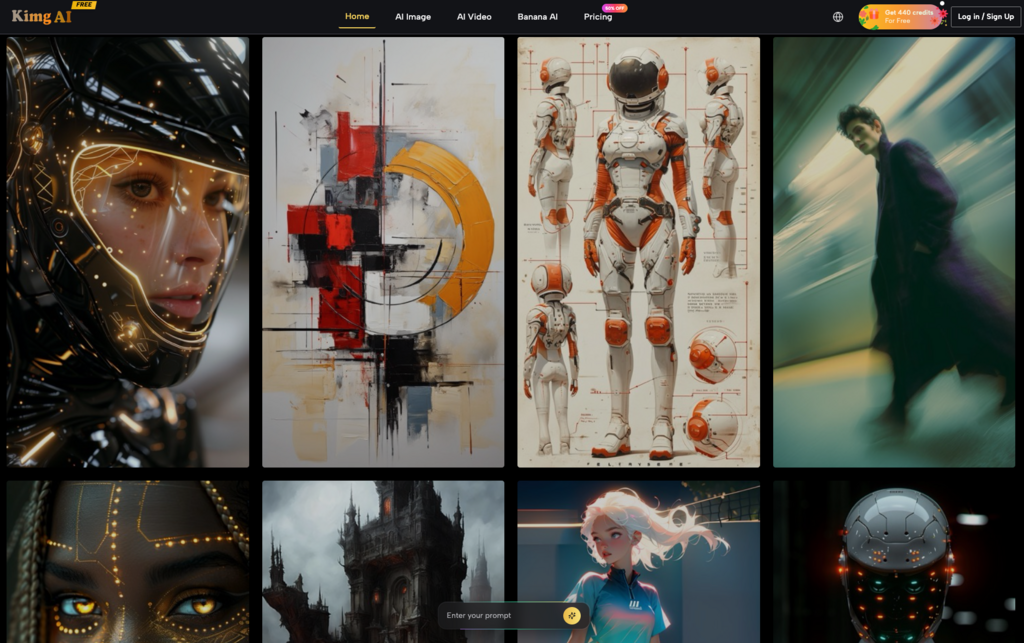
Within the Kimg AI ecosystem, using I2I allows you to take a low-fidelity “sketch” generated in the drafting phase and use it as a structural guide for the final high-res output. This ensures that the composition—where the product sits, the angle of the light, the horizon line—remains static while the texture and detail are upgraded.
Another tactical move is the use of “Seedream” or similar seed-locking techniques. By holding the seed constant across different prompt variations, you can keep the core stylistic elements intact while changing the environment. For example, if you have a hero character for a software launch, you can move that character from a “high-tech office” to a “mountain retreat” without the character’s face and clothing changing entirely.
Practical Limitation: Even with seed locking and I2I, perfect consistency is still statistically unlikely. AI is not a 3D engine; it doesn’t “know” where a character’s arm is in 3D space. It is merely predicting pixels. Product teams must budget time for manual post-processing—cleaning up a stray finger or correcting a brand-specific color hex code in Photoshop. AI handles 80% of the heavy lifting, but the final 20% is still a human’s job.
The Resolution Problem: Moving to K-Level Production Standards
A common mistake in AI workflows is assuming that a 1024×1024 output is “done.” For professional campaigns, this is rarely true. High-end digital displays and print media require significantly more data.
This is where the Kimg AI upscaler becomes a mandatory step in the pipeline. Taking a Nano Banana generation and running it through a “K-level” upscaler does more than just make the image larger; it adds necessary detail that was missing in the base model. It refines edges, clarifies textures like fabric or metal, and removes the “pixel crawl” that often plagues AI-generated backgrounds.
However, a moment of caution: upscaling is an additive process. The AI is “guessing” what the extra pixels should look like. In some cases, this can lead to “artifacting”—where smooth surfaces suddenly take on a strange, pebbled texture, or where eyes and teeth become over-sharpened into the “uncanny valley.” Teams should always perform a 100% crop check after upscaling to ensure the AI hasn’t hallucinated unwanted details that would look bizarre on a billboard.
Operational Hazards and the Ethics of Synthetic Assets
Scaling a workflow also means acknowledging where the technology fails. One of the most common pitfalls is the “Inpaint Trap.” When a team identifies a small error in an otherwise perfect image, the instinct is to use an inpainting tool to fix it. However, because each inpaint is a new generation, it can subtly change the lighting or color balance of the surrounding area. After five or six inpaints, you may find that the image no longer matches the rest of the campaign.
There are also larger uncertainties that product teams must handle with care:
- The Typography Limitation: Despite advancements, most AI models, including the Nano Banana variants, still struggle with complex brand typography. Relying on the AI to generate your logo or specific product name is a recipe for disaster. The safest workflow is to generate the background and the “vibe” with AI, then layer in brand-accurate typography and logos manually using vector software.
- The Copyright Grey Area: At the time of writing, the legal standing of AI-generated assets remains in flux in many jurisdictions. Teams cannot safely conclude they have full, traditional IP ownership in the same way they would with a human-shot photograph. For paid media spend involving millions of dollars, this risk must be cleared by legal departments.
- Real-World Accuracy: If you are launching a physical product, AI is notoriously bad at replicating specific, complex engineering details. If your product has a unique hinge or a specific port layout, the AI will likely hallucinate a generic version. In these cases, it is better to use the AI for the lifestyle background and composite a real 3D render of the product into the scene.
Building the Future-Proof Creative Tech Stack
Integrating AI into a product launch isn’t about replacing the creative team; it’s about upgrading their infrastructure. A modern creative department should view AI as a multi-layered stack. You have the rapid-prototyping layer (Nano Banana), the high-fidelity refinement layer (Banana AI Pro), and the finishing layer (K-level upscalers and human editors).
Before deploying any AI-driven campaign, teams should follow a final checklist:
- Color Matching: Does the AI output align with our brand’s CSS/Hex guidelines?
- Scale Check: Has the image been upscaled to at least 2x the final delivery resolution to allow for cropping?
- Artifact Audit: Are there any “impossible” shadows or textures that scream “AI-generated”?
- Human-in-the-Loop: Has a designer touched the file to ensure the typography and logos are crisp?
By shifting from a mindset of “finding the perfect prompt” to “building a repeatable pipeline,” product teams can finally move generative AI out of the sandbox and into the center of their marketing strategy. The tools are ready; the question is whether the workflow is robust enough to handle them.
